Engraving4 min read
Engraving 101: Personalising Your 3D Prints
Add text, logos, and patterns to your prints. Here's what's possible and how to prepare your artwork.
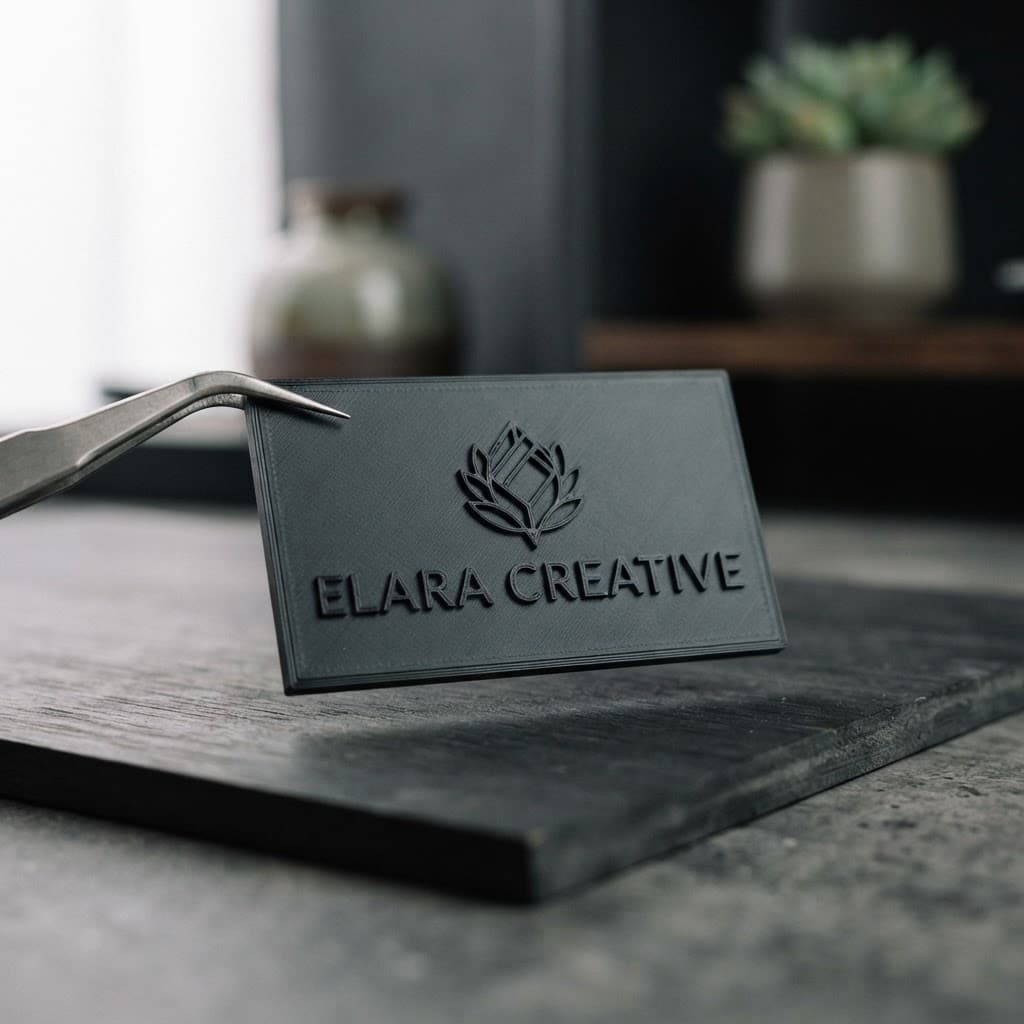
Engraving is one of the easiest ways to make a 3D print feel finished and personal — a name, a logo, a serial number, or a decorative pattern, all built directly into the surface of the part. Here's what's possible and how to prepare your artwork so it comes out crisp.
How Engraving Works in 3D Printing
With FDM printing, "engraving" usually means embossing or debossing — that is, the design is raised slightly above the surface or recessed slightly below it as part of the printed layers. Unlike laser engraving, there's no burning or cutting; the detail is literally grown into the part as it prints.
Because it's part of the model, engraving adds no extra cost and no extra time beyond the design work — it just needs to be modelled into the file before printing.
What You Can Engrave
- Names and text — perfect for gifts, nameplates, and plaques.
- Logos and line art — clean vector artwork converts beautifully.
- Serial numbers and labels — great for organising parts or branding products.
- Decorative patterns — geometric, floral, or custom textures on flat surfaces.
Tips for Crisp Engraving
A few simple rules keep engraved details sharp:
- Go at least 0.4mm deep (or tall). Thinner than that and the detail may merge with the surface texture.
- Keep lines at least 0.6mm wide. Fine hairlines can disappear or print unevenly.
- Use a flat surface. Engraving on a curved or textured face goes muddy; flat areas print the cleanest.
- Avoid tiny text. For readability, text should be at least 4-5mm tall; below that, detail gets lost.
- Bold, sans-serif fonts print far better than thin, decorative ones.
How to Send Us Your Artwork
To engrave onto your print, we need your artwork in a vector format. Here's what works:
- SVG is the best — clean, scalable, and easy to convert into a 3D model.
- AI or EPS also work if you can export them.
- High-contrast PNG (transparent background, solid black on the detail) can be traced if you don't have a vector.
Send the artwork along with your model and tell us:
- Whether you want it embossed (raised) or debossed (recessed).
- Where on the part it should go.
- How large it should be.
We'll handle the rest — converting it, placing it, and making sure it prints cleanly.
Common Use Cases
- Gifts — a name or date on a phone stand, keychain, or display piece.
- Businesses — a logo on a product housing or packaging insert.
- Organisation — labels and QR codes on storage bins or tool organisers.
- Awards — text on a small trophy or recognition piece.
Ready to add that personal touch? Upload your file and artwork with your quote request, and we'll bring it to life.
Next articleWhy Use Benchy for Calibration?